Navigation Improvements
We’ve made a few updates to make it easier to get around the application:
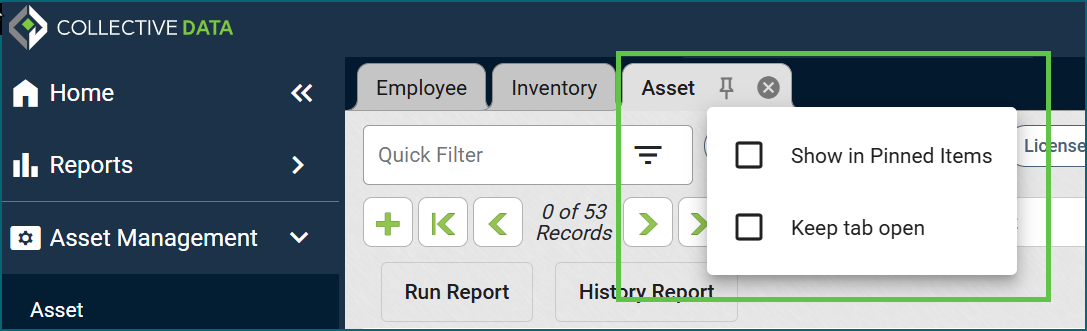
- Pin pages to your navigation: Select the pin icon on your active tab to add that page to your left-hand navigation for quick access. You can also pin your most-used reports.
- Keep tabs open: Select the pin icon on your active tab and choose “Keep tab open” in the dropdown. That tab will stay in your top row, even after you refresh or log out. This setting applies only to your account, not to other users.
- Reorder tabs: Drag tabs along the top row to put them in the order you want. This is handy for arranging tabs you’ve set to stay open.
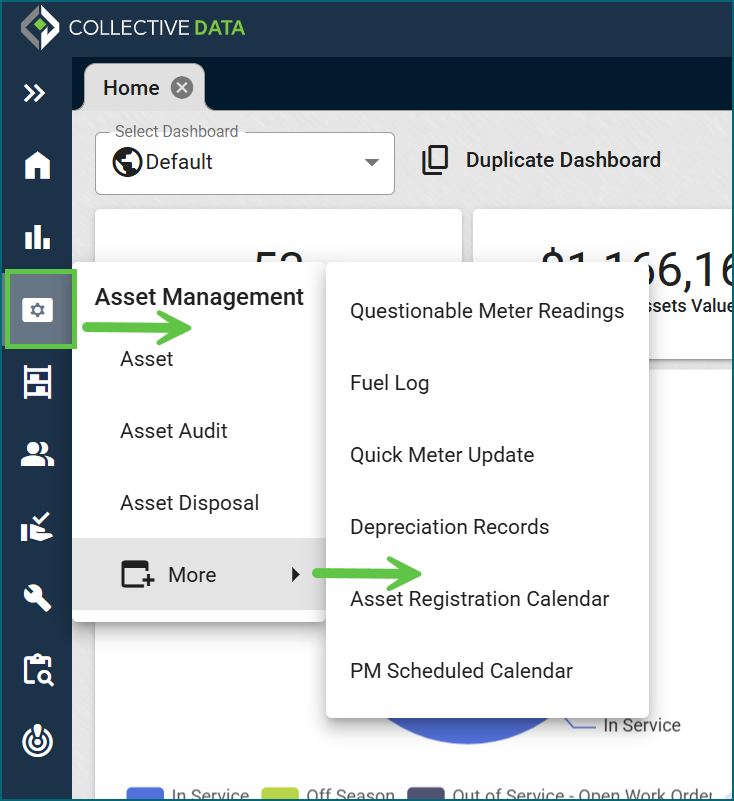
- Hover menus on a collapsed side navigation: When the side navigation is collapsed, hover over an icon to see all the options under it.
Password Updates
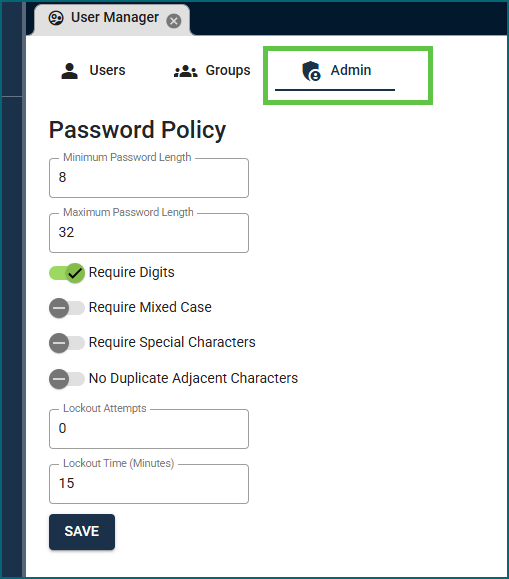
For non-SSO clients, new password requirements have been added to the application.
- New default of 8–32 characters: In the Login Settings, password defaults have been set to 8 minimum, 32 maximum. These can be adjusted by your organization, but we recommend sticking with these as your security baseline.
- Your existing passwords still work: Current users don’t need to do anything. The new password policy only kicks in if/when your password is changed. New users would have to abide by the defaults.
- No more restricted characters: Passwords can now include any character.
- Password settings have a new home: They’ve moved from Organization Settings to a new Admin tab in User Manager. The options are the same as before, just in a new spot. If you had any defaults set, they’ll be moved over with their new home.
Again, this is only affecting our non-SSO clients. For SSO clients, you’ll continue to use your own organization’s password requirements.
User Manager Updates
We made improvements to the User Manager:
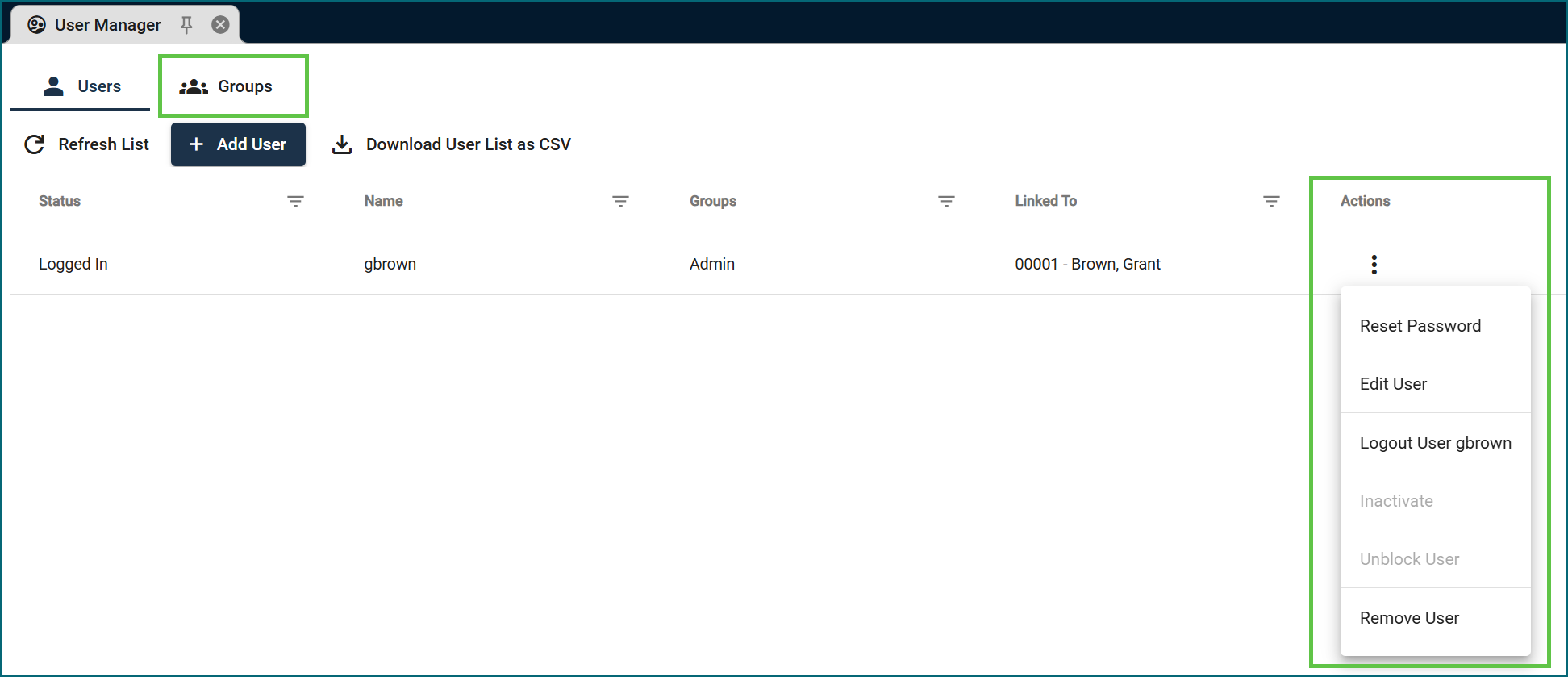
- Roles renamed to Groups: The Roles section is now called Groups, matching the name used everywhere else in the application.
- User actions menu: To edit a user or reset their password, select the vertical ellipsis (⋮) next to the user and choose Edit or Reset Password.
Asset View: Visual Update
The Asset view now shows Hierarchy and Location in separate sections; the physical location fields have been moved to be with Storage Location. Nothing has changed functionally.
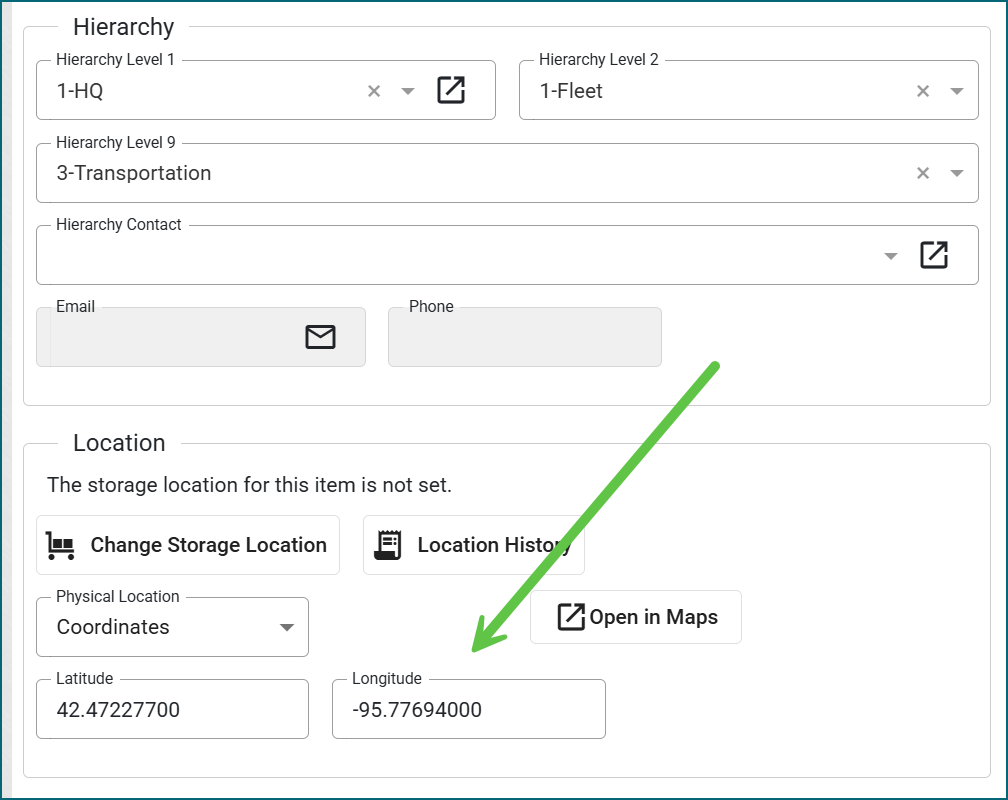
Image Sizing: Clicking to Enlarge
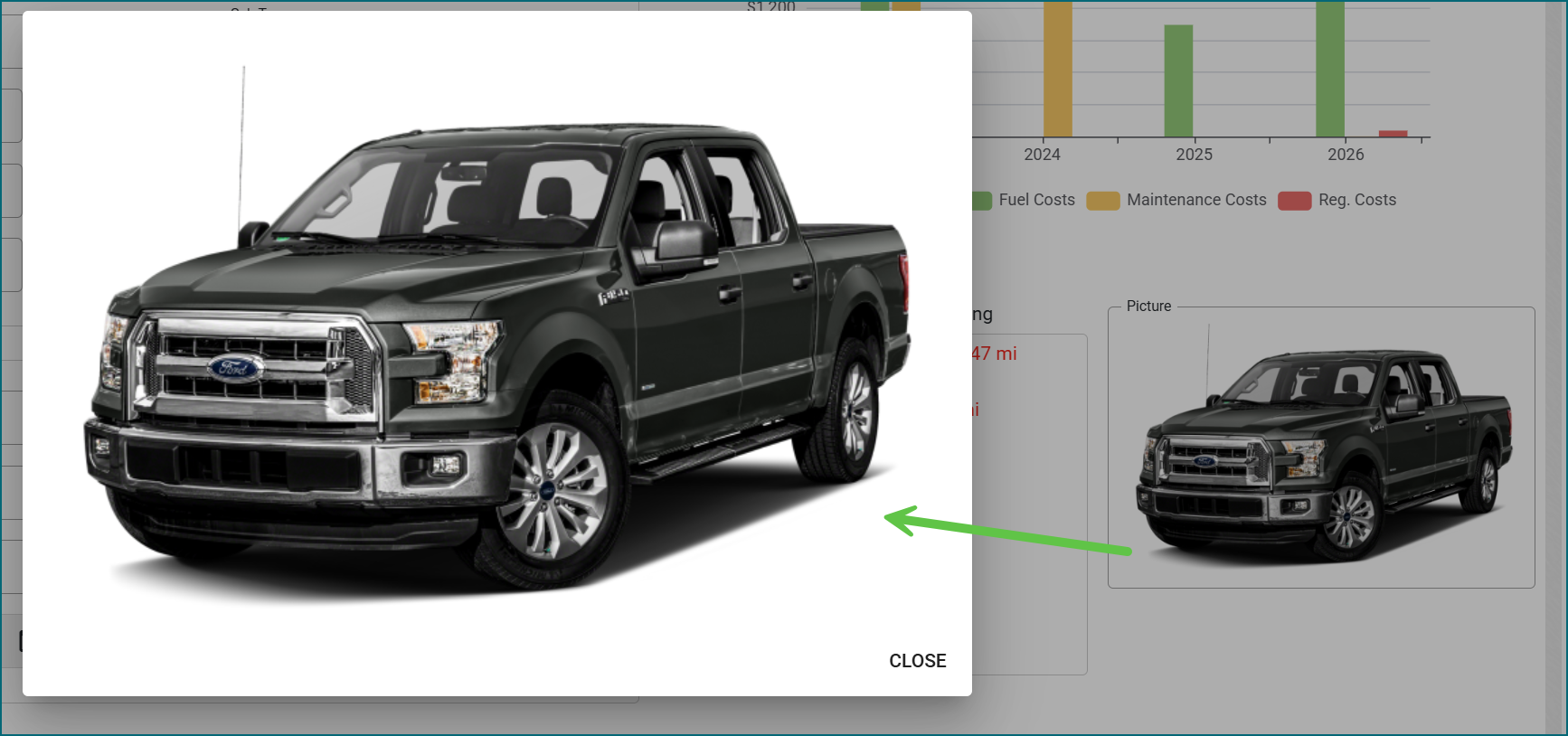
We fixed an issue where selecting an image didn’t always enlarge it. Images now open at their full/natural size when selected.
Report Builder: Filtering and Queries
An earlier update unintentionally removed the filter and query options from the report builder. They’re available again.
Document Upload Change
We updated the document gallery images to be based on the File Type, not the Description
KPI Due Items Fix
We fixed a couple KPIs that were not showing due items in Mission Control but were showing appropriately on the Task lists.
- Employees: License/Certs Due
- Maintenance: Due PMs
SMTP OAuth 2.0 for Microsoft Exchange Online
Outbound email can now be sent through Microsoft Exchange Online using OAuth 2.0 instead of a stored username and password.
For more information on how to set this up, instructions are in the User Guide. Please reach out to our Support team for additional needs.
SAML Support
We now offer SAML support for users. Please reach out to our Support team for more information or assistance with set up.
PM Schedule Templates Updates
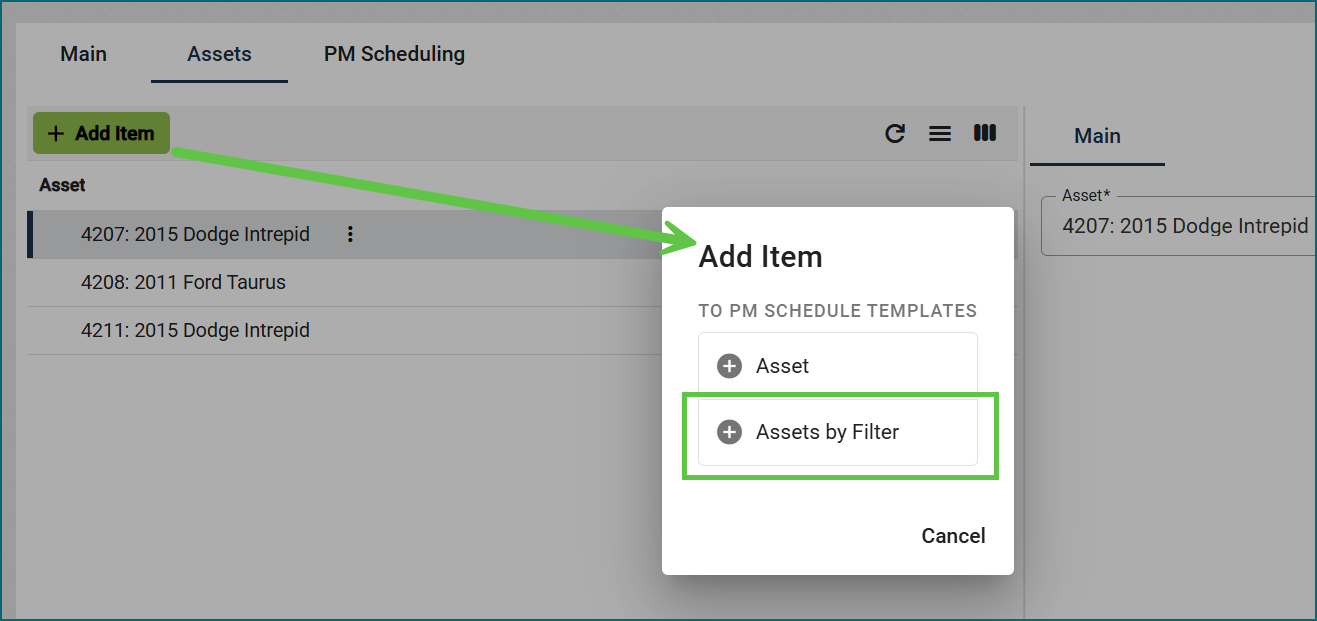
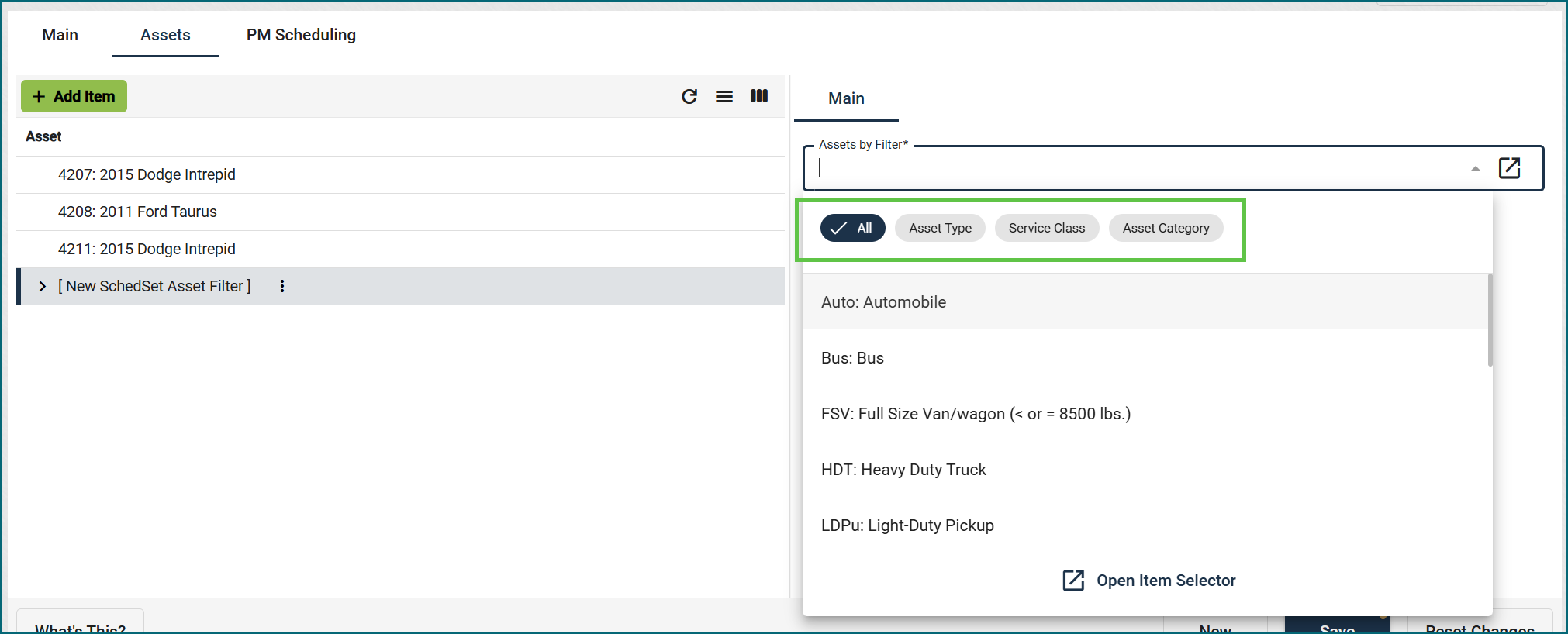
PM Schedule Templates can now apply automatically to assets by Asset Type, Service Class or Asset Category, and you can inactivate a PM service on a template. For more information, check out the User Guide.
Unmanaged Parts on PO error
Fixed an error that was occurring when sending a Purchase Order with unmanaged parts to a Work Order.
Asset: Life Cycle Statistics Updates
Fixed Lifetime Repair Cost and Lifetime Preventative Cost on asset statistics so they reflect current work order totals.
Fixed the Lifetime Collision Cost to reflect correct dollar amounts
Note: These issues only affected on-screen amounts in the fields. Any reports that pull in this information showed appropriate totals.
New Feature: Item Request Catalog
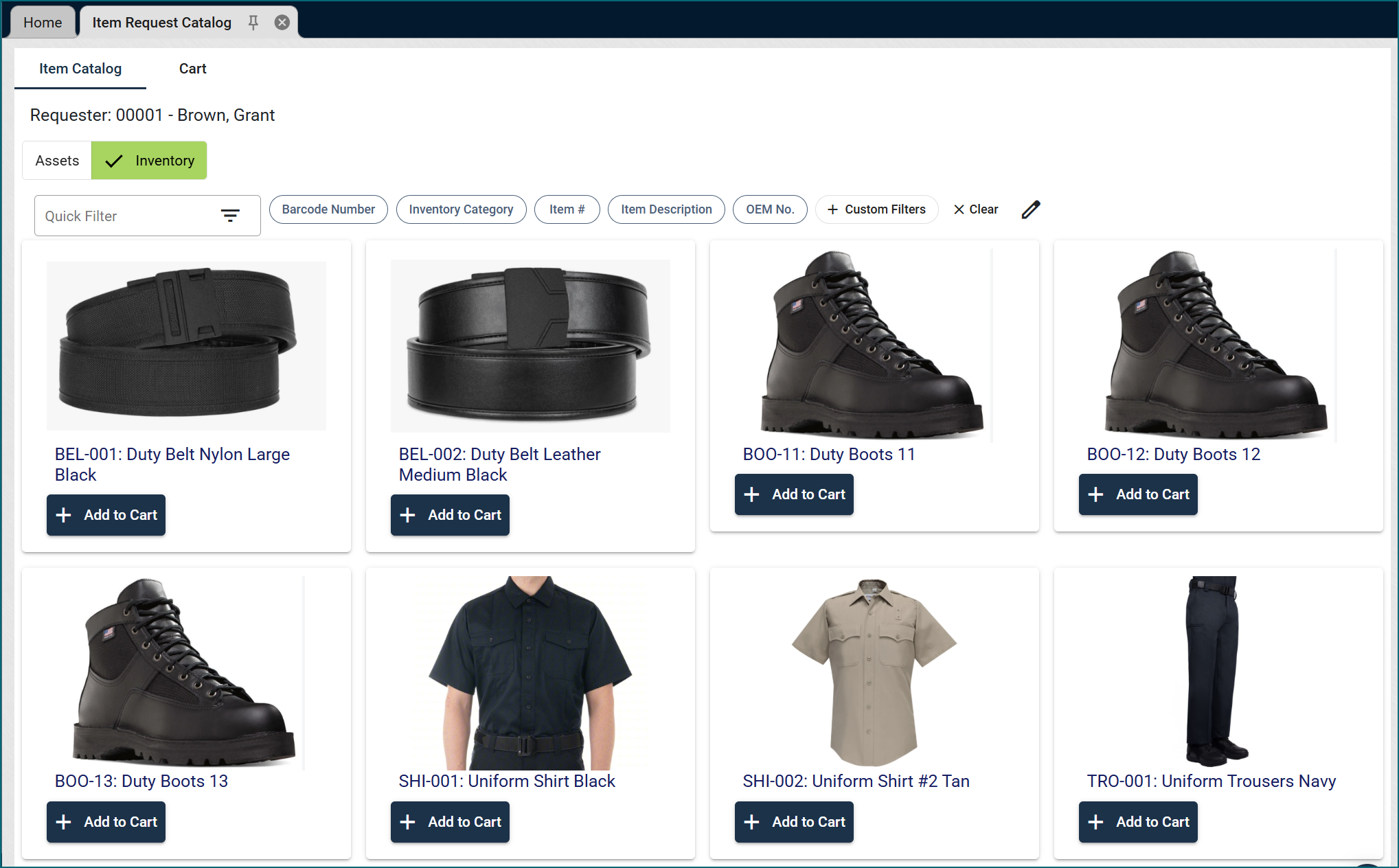
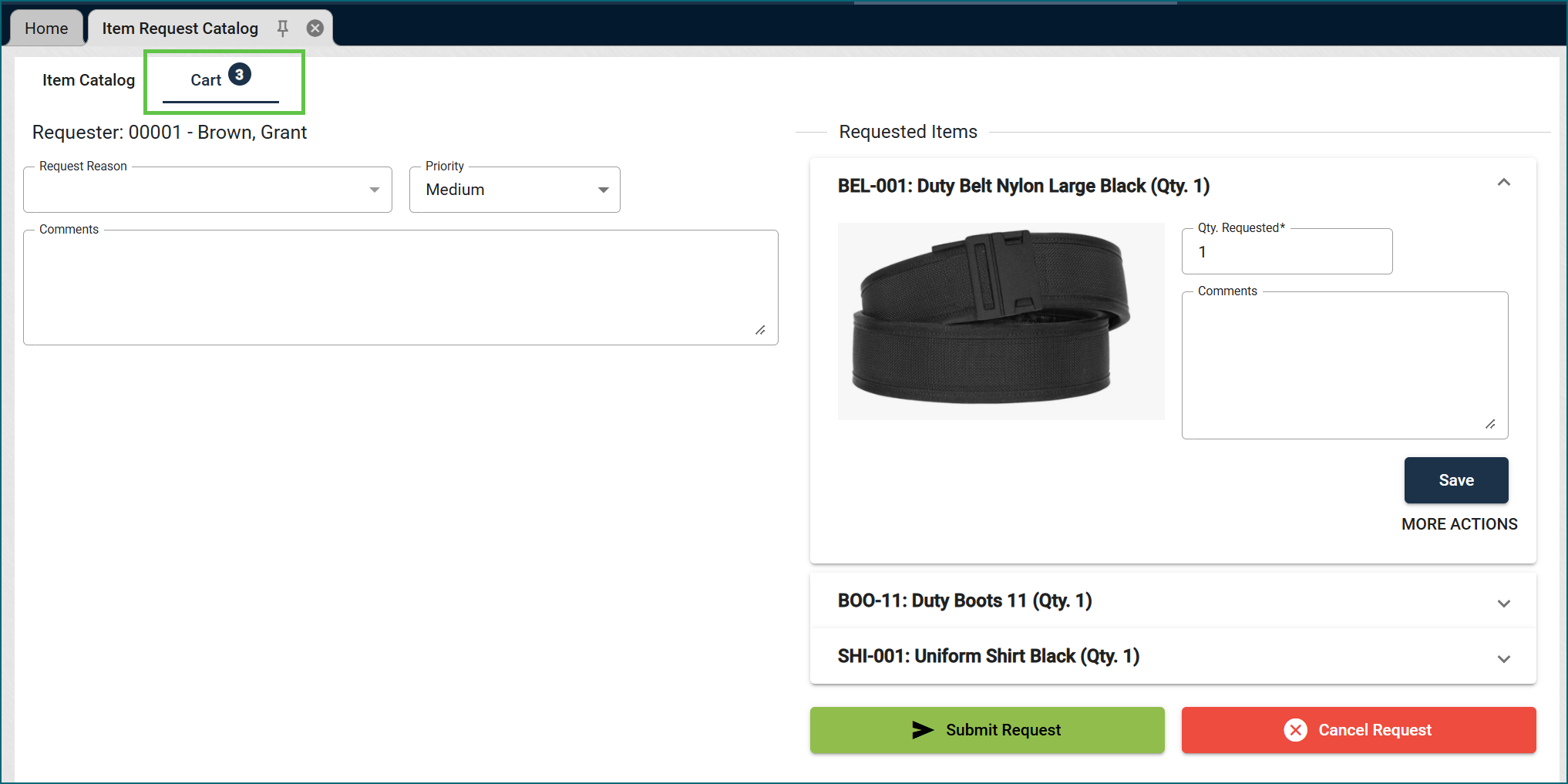
We’re excited to introduce the Item Request Catalog, which makes requesting gear as easy as shopping online.
- Browse a visual catalog: See item photos, descriptions, and available sizes and colors.
- Search and filter: Quickly narrow results to find exactly what you need.
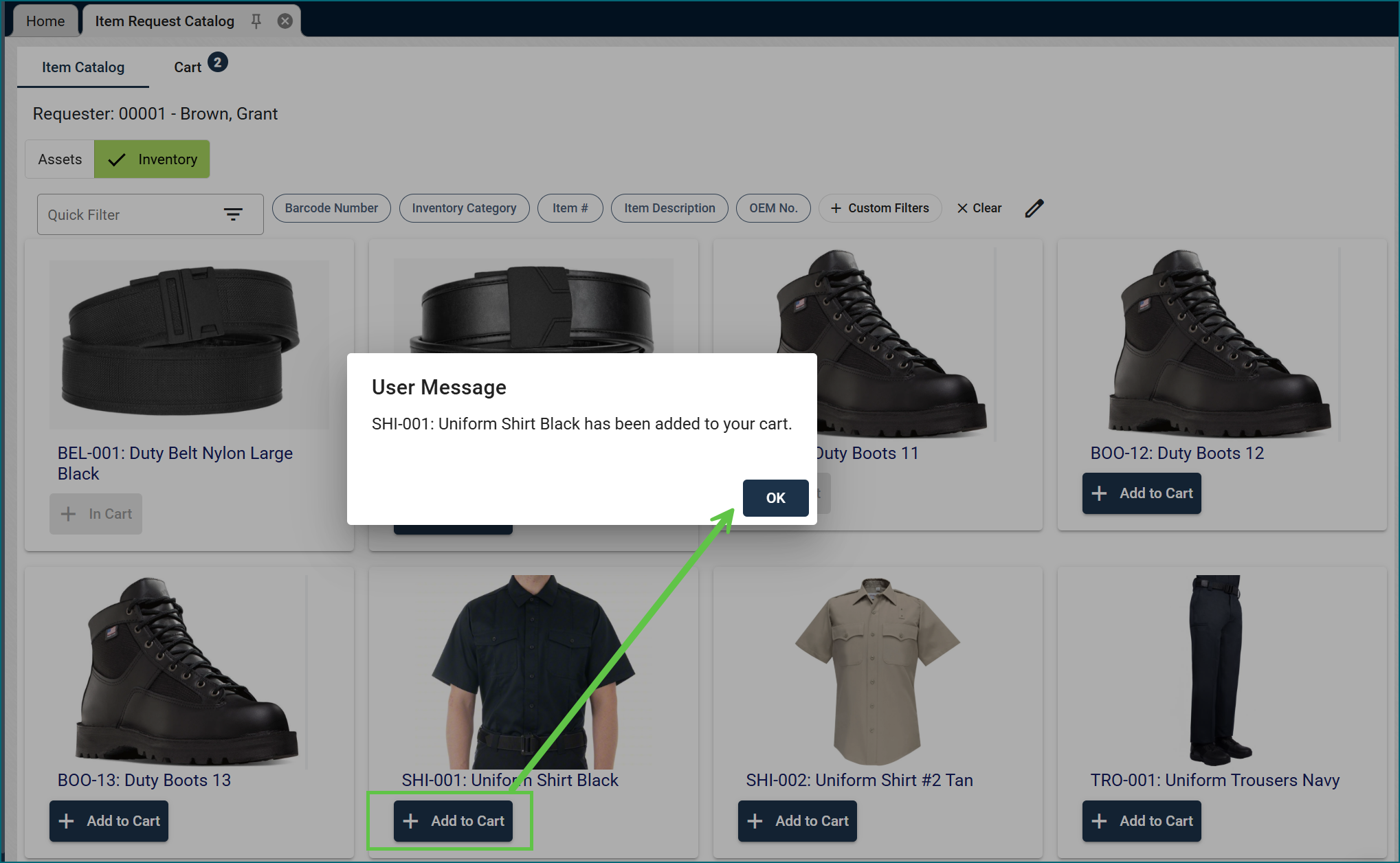
- Request from a cart: Add items to your cart, adjust quantities, and submit everything in a single request.
Want to get started? Reach out to your Account Manager to learn more and get a quote.
Report: Asset Audit
We added an Asset Audit Summary report that shows every asset in an audit batch, with attachments grouped under their parent asset.
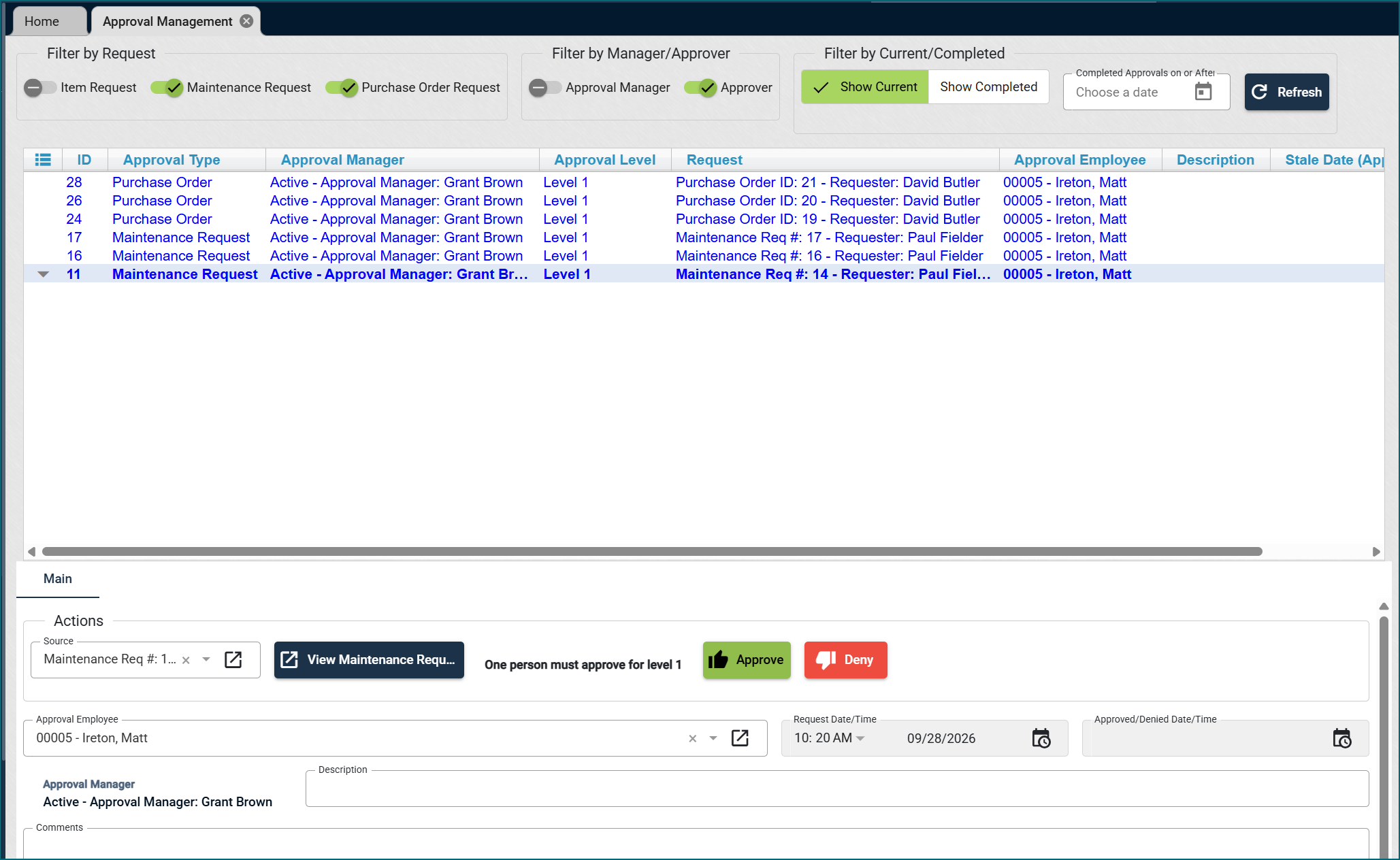
Our Approval Module just got a facelift! Here’s what’s new:
- Simplified template setup: Creating and configuring approval templates is now easier and more intuitive.
- Approval Management view: A dedicated view lets you manage all approval requests in one place.
- Rank and Job Title approvals: New options allow approvals to be routed by Rank or Job Title.
- Approval Manager role: Assign an Approval Manager to monitor all requests for a specific approval template, helping ensure approvals and denials happen on time.
Already using the Approval Module? Our team will work with you to update your configuration so everything continues to run seamlessly.
Interested in learning more? Reach out to our Support Team or your Account Manager to schedule a review.