

Live Reports
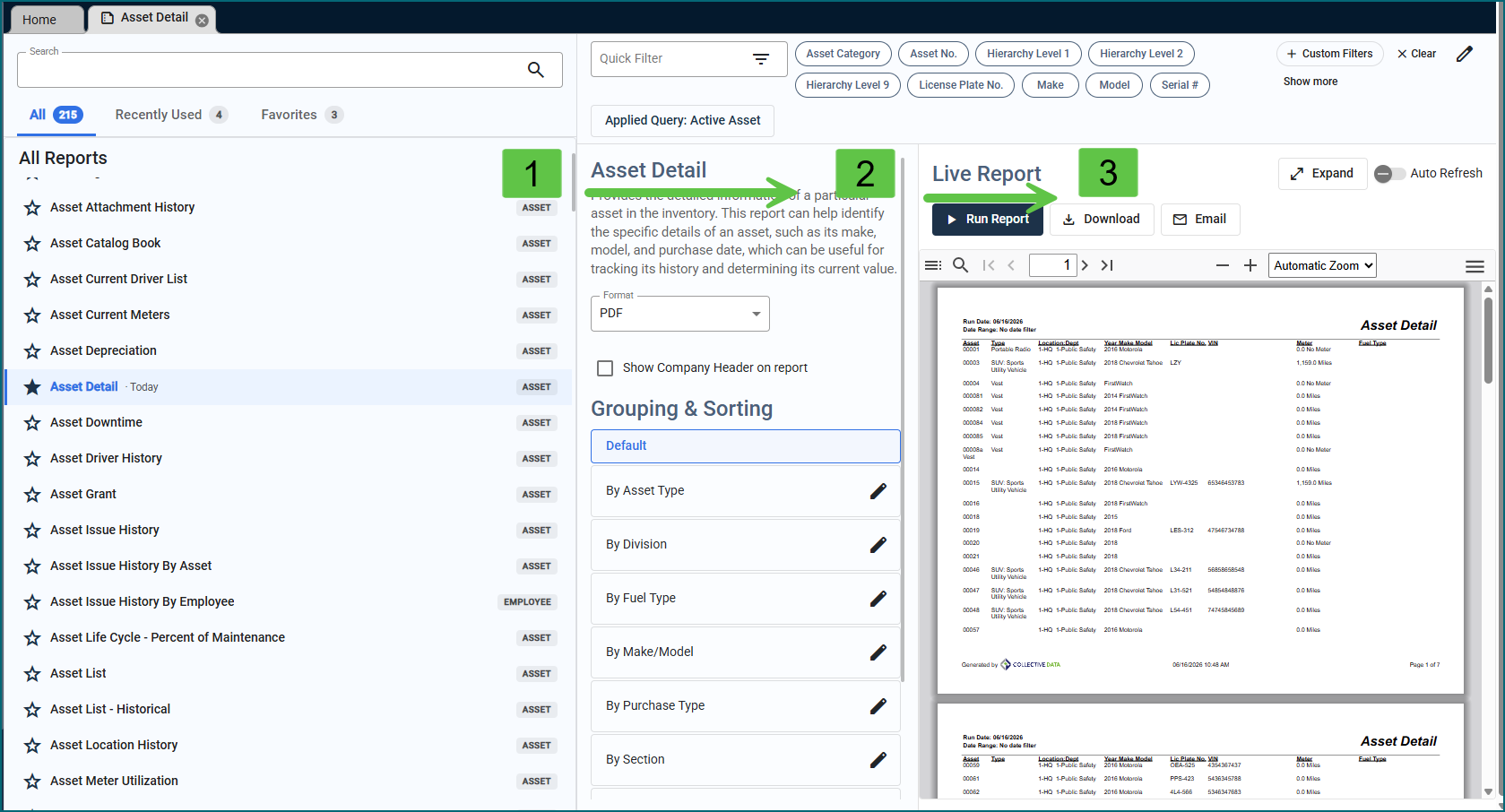
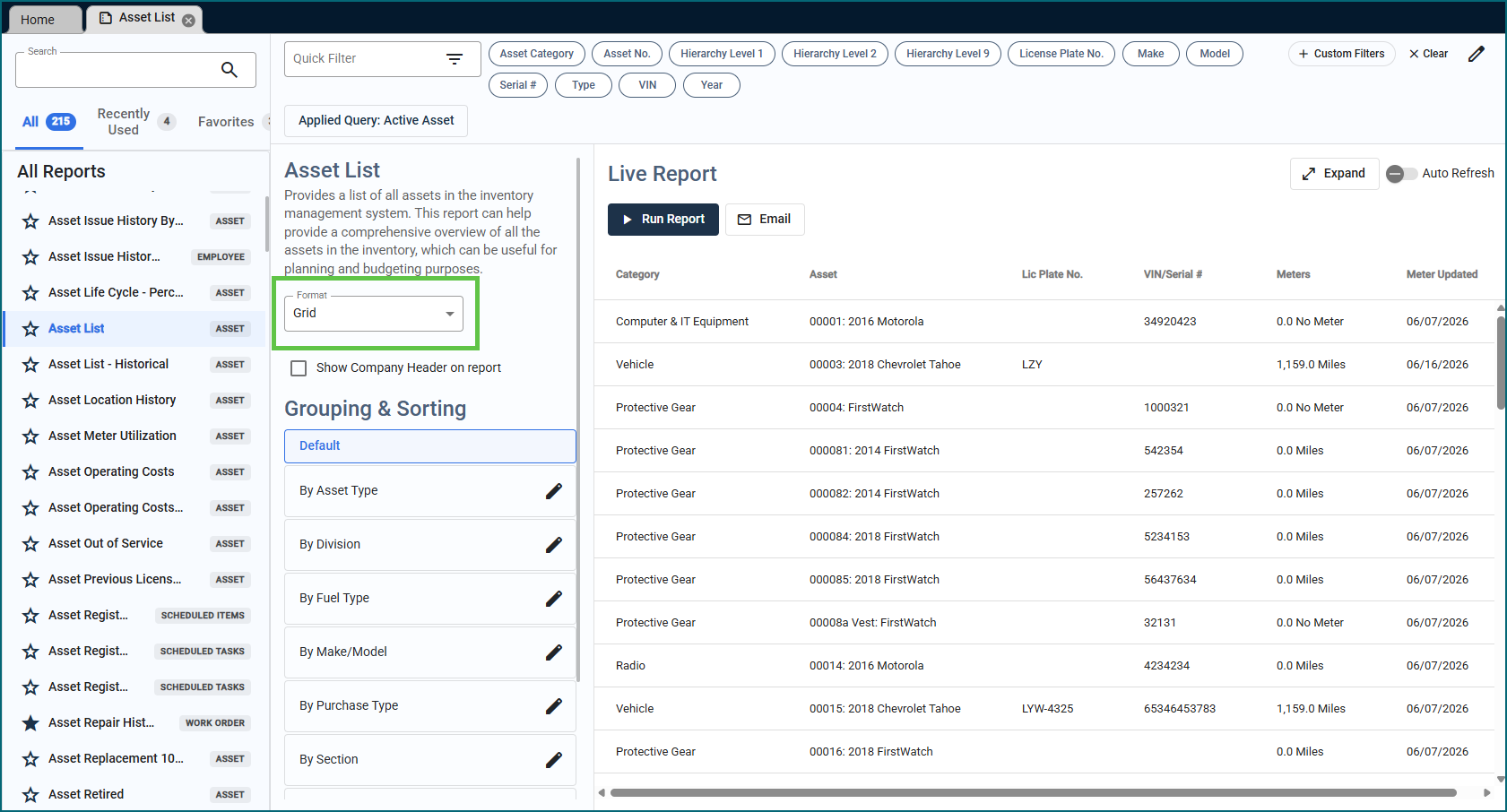
The Reports experience has been refreshed! Navigating to Reports in the left-hand menu now displays all available reports in a side panel, where you can filter, group, and set date ranges, all on a single screen. Click Run Report and results load right there; no more bouncing between pages to adjust your selections.
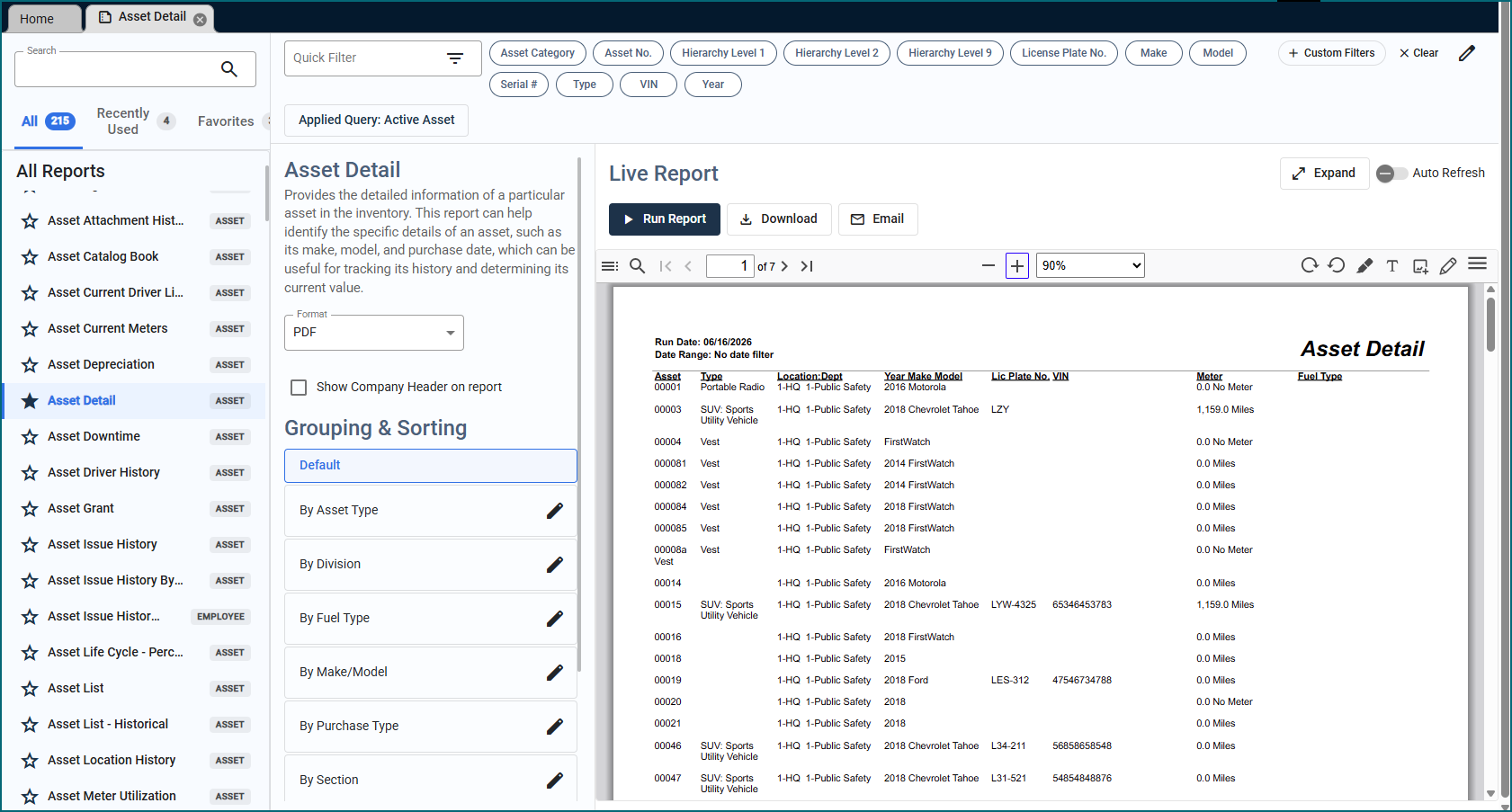
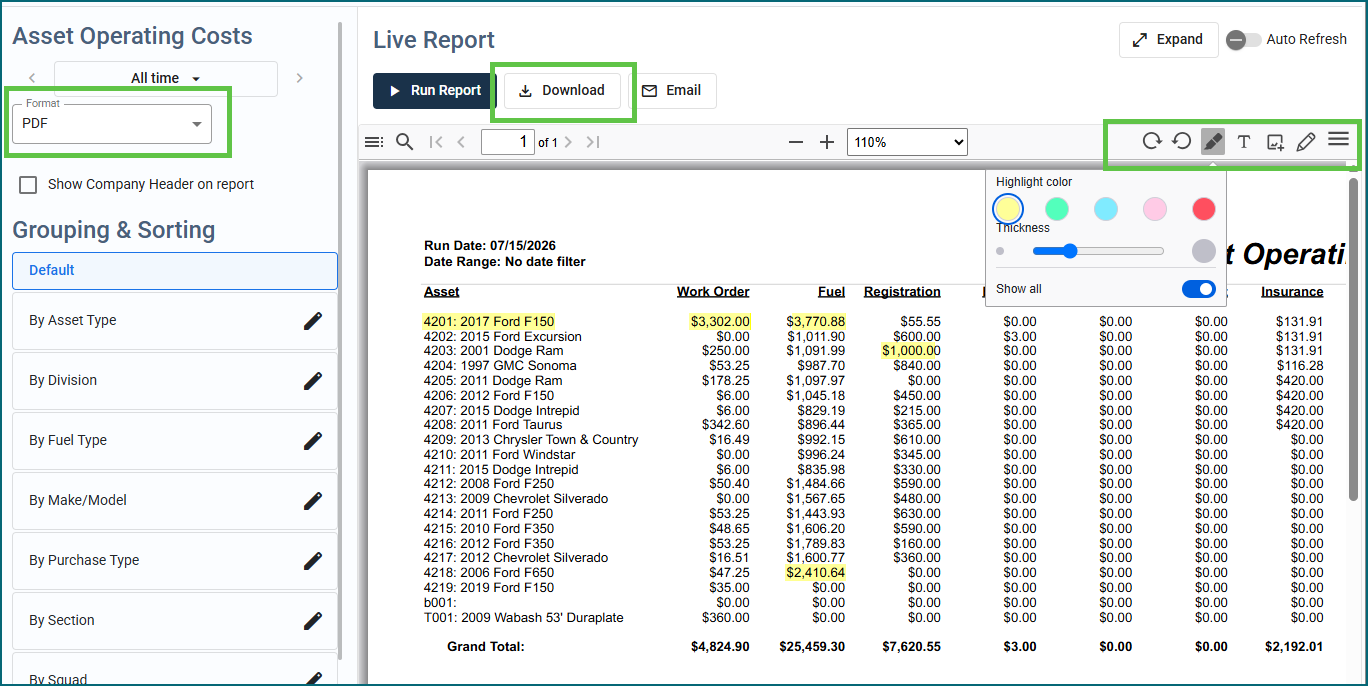
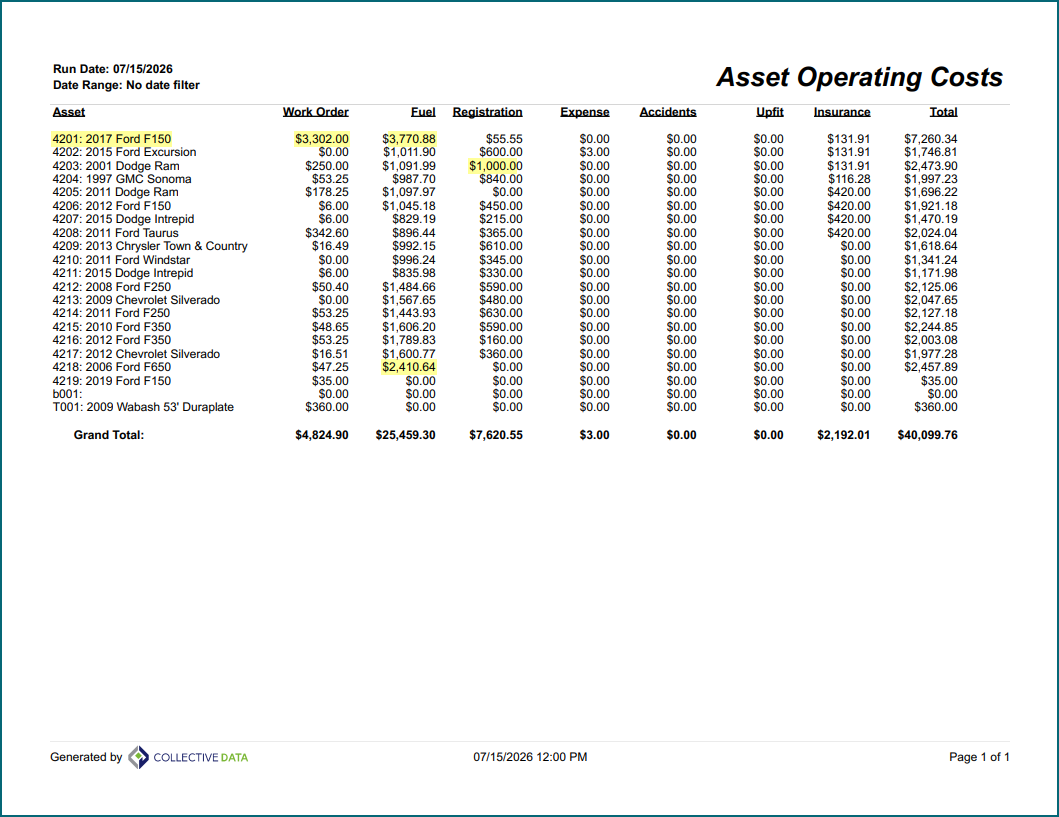
When a report is in PDF format, you can use the editing options at the top of the report to type or highlight directly on it. Any changes you make will be preserved when you download the report, so they’ll appear when you print it.
A new Grid view option is available as well, which helps improve data layout on some reports in the Reports view.
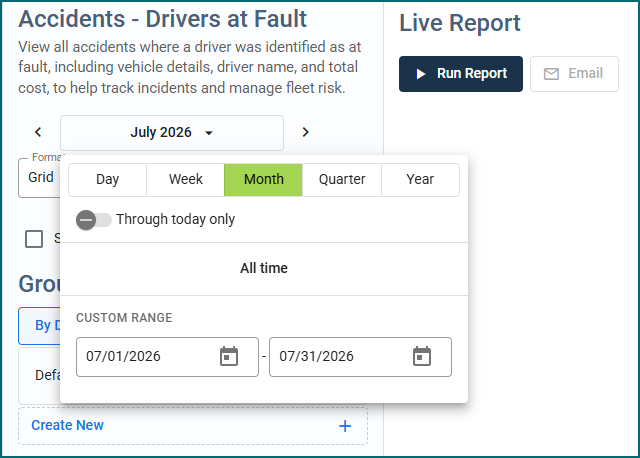
Dates are easier to select too, with a larger display and buttons.
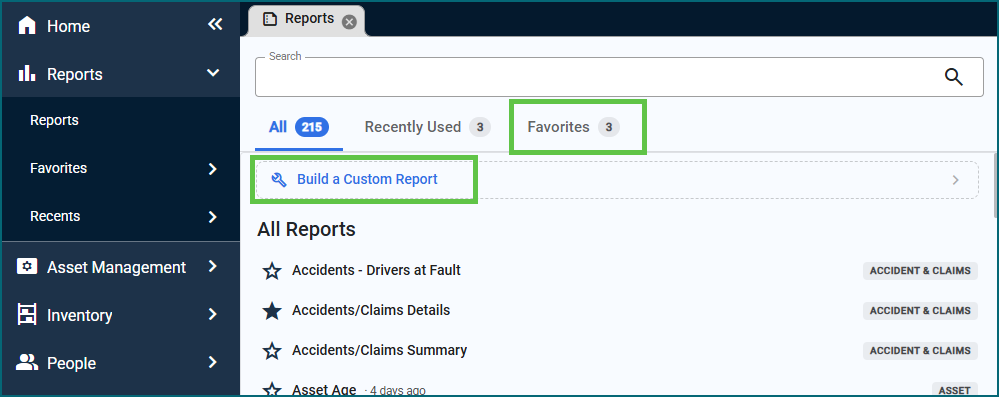
Your Favorite reports and custom reports are still available. Building a Custom Report will function as it did before.
The Run Report buttons on your views are now re-directed to the Report Selector as well. Filtering will still work as normal, but you’ll now have the ability to see/print it in the Live Reports view.
Multiple Groups Functionality
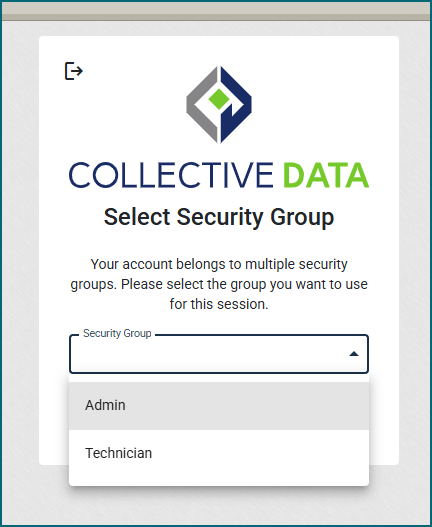
Users can now be assigned more than one role within the application – no more managing separate logins. For example, a user who acts as both a Driver and a Technician can be assigned to both roles and simply select the appropriate one at login depending on their needs that day.
Note: If one of a user’s roles requires Limited User access, a separate Limited User account is still required for that role.
For more information, please see the User Manager topic in the User Guide.
Auto Status Issue Fixed
We fixed an issue that was occurring with assets that have multiple Work Orders open where the Asset Status wasn’t always updating to match the Work Order. This has been fixed.
Resuming Item Requests
A new Organization Settings option lets administrators enable limited users to save and resume item requests. When enabled, limited users can save an in-progress request and return to it anytime via the Request History tab. For full details, see the Item Request topic in the User Guide.

Bulk Issuing Inventory Items Import
Inventory Items can now be bulk issued via an import. Simply put the inventory item number, issued employee number, issuing employee number, issue date, and quantity. If the inventory item needs to be serialized upon issuance, you can do that as well. For more information, please see Importing à Bulk Issued Inventory Items in the User Guide.
Barcodes on Item Requests
We fixed an issue where only the main barcode on an inventory record was working on Item Request. Now, the barcodes entered for warehouses or item styles also work when requesting items for Item Requests.