
Changelog

Follow up on some of the latest improvements and updates on the Collective Data platform. 

Fiscal Year Option

A new setting in Organization Settings now allows you to select a Fiscal Year option for viewing Work Order Counts in Mission Control. This is useful for organizations that do not run on a January-December calendar year. If your organization does have a fiscal year of January-December, you do not need to change anything in your application.

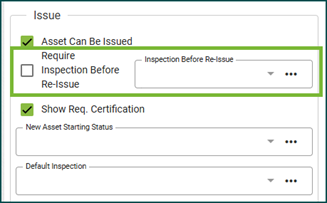
Quartermaster: Require Inspection Before Re-Issuance

We’ve introduced a new feature designed to enhance the item issue workflow! You can now ensure that specific Asset Categories must be inspected before being re-issued. This addition improves safety and accountability by requiring inspections to be completed and reviewed before assets are put back into circulation.


Asset Attachments

We’re excited to share an update to the Asset Attachments workflow, making it easier and more intuitive to manage asset attachments. For a detailed walkthrough, check out the User Guide: Asset – Attachments topic.

Highlights include:

  • A dedicated Attachments tab is now available on the Asset view. If an asset has attachments, a badge will display the total number of attachments.
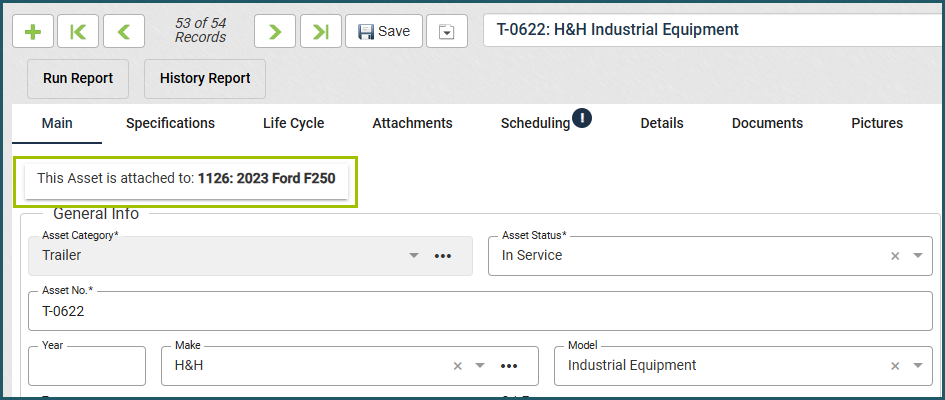
  • Attached assets now have a clear callout on the main tab, showing which asset they’re connected to.
  • Clearly visible buttons for attaching and detaching assets make the process quicker and more user-friendly.

Work Order View – Asset Repair History

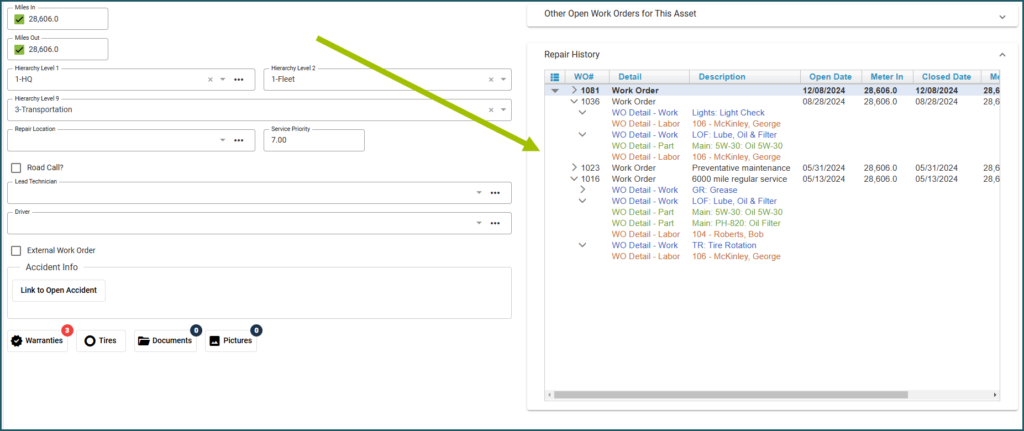
On the Work Order view, the repair history of an asset can now be seen on the right side under the Asset Info section. This will make it easy for your Technicians to see the Repair History and all the details on the same page without needing to print or flip through tabs on their browser. For Shop Module clients, this can also be seen on the Technician View.

Work Order View detailing the past work that has been done on an asset

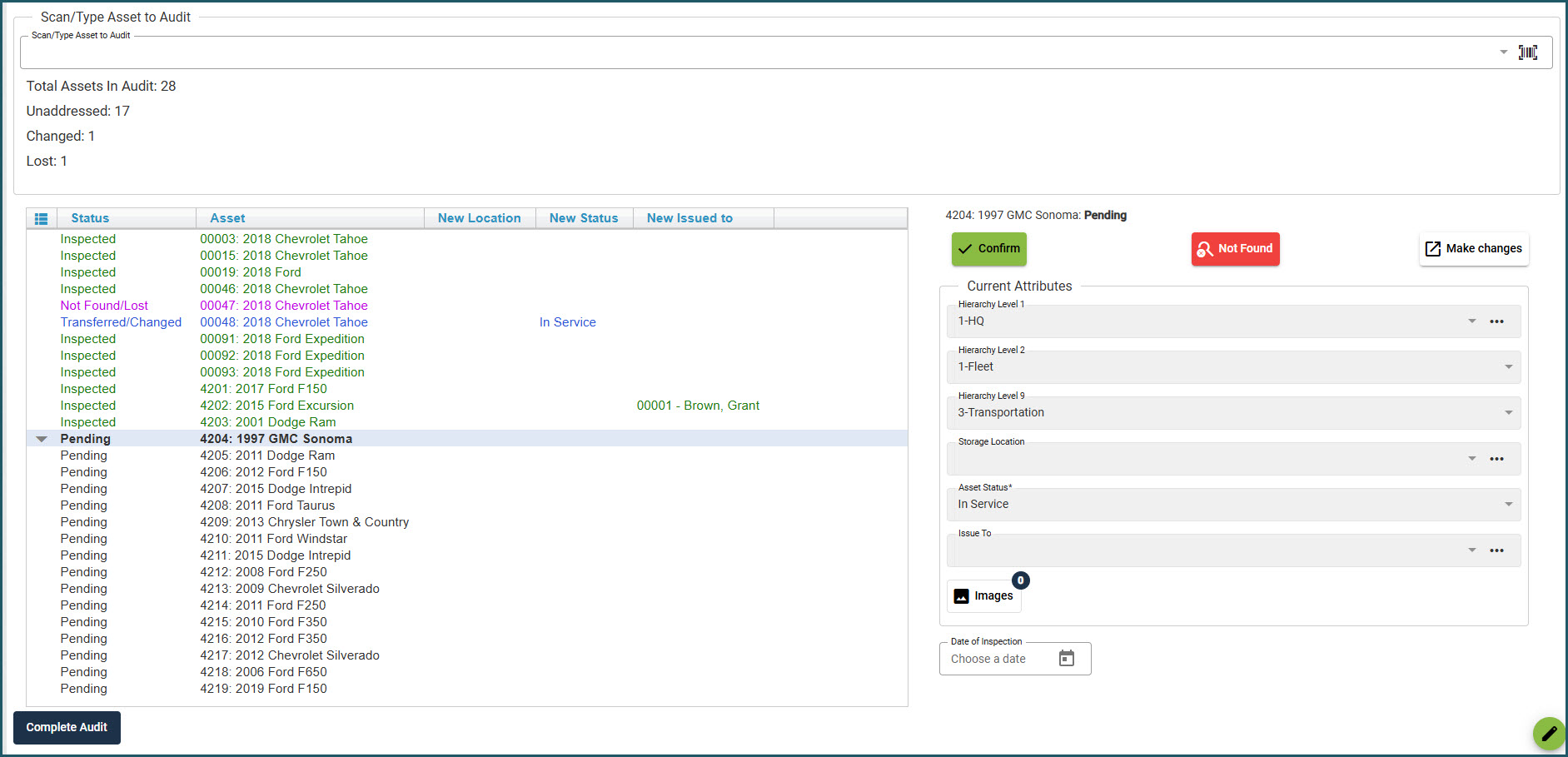
Asset Audit

The Asset Audit view has received a facelift! Now, it’s easier to perform asset audits. If you haven’t used this feature before, it’s a handy way to verify your assets are in the correct storage locations.

Quartermaster – Asset Catalog Book

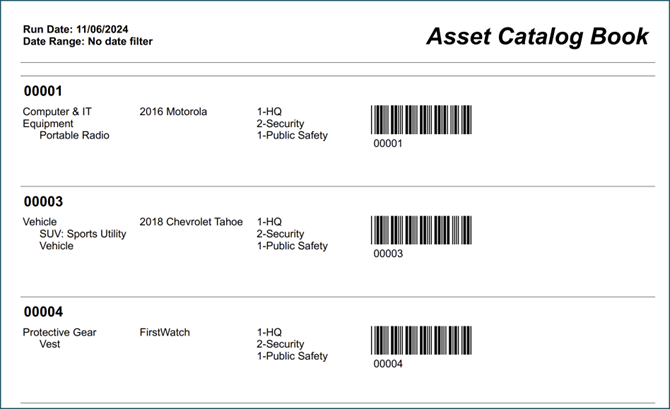
We’re excited to introduce the Asset Catalog Book report. This new report provides a comprehensive catalog of all assets, complete with scannable barcodes to streamline asset issuing and auditing processes. Each entry includes the asset number (also used as the barcode), description, category, type, and location for quick reference. Simply search Asset Catalog Book in the Search Bar to access this report.

Asset Catalog Book - QM

Embedded Videos in User Guide

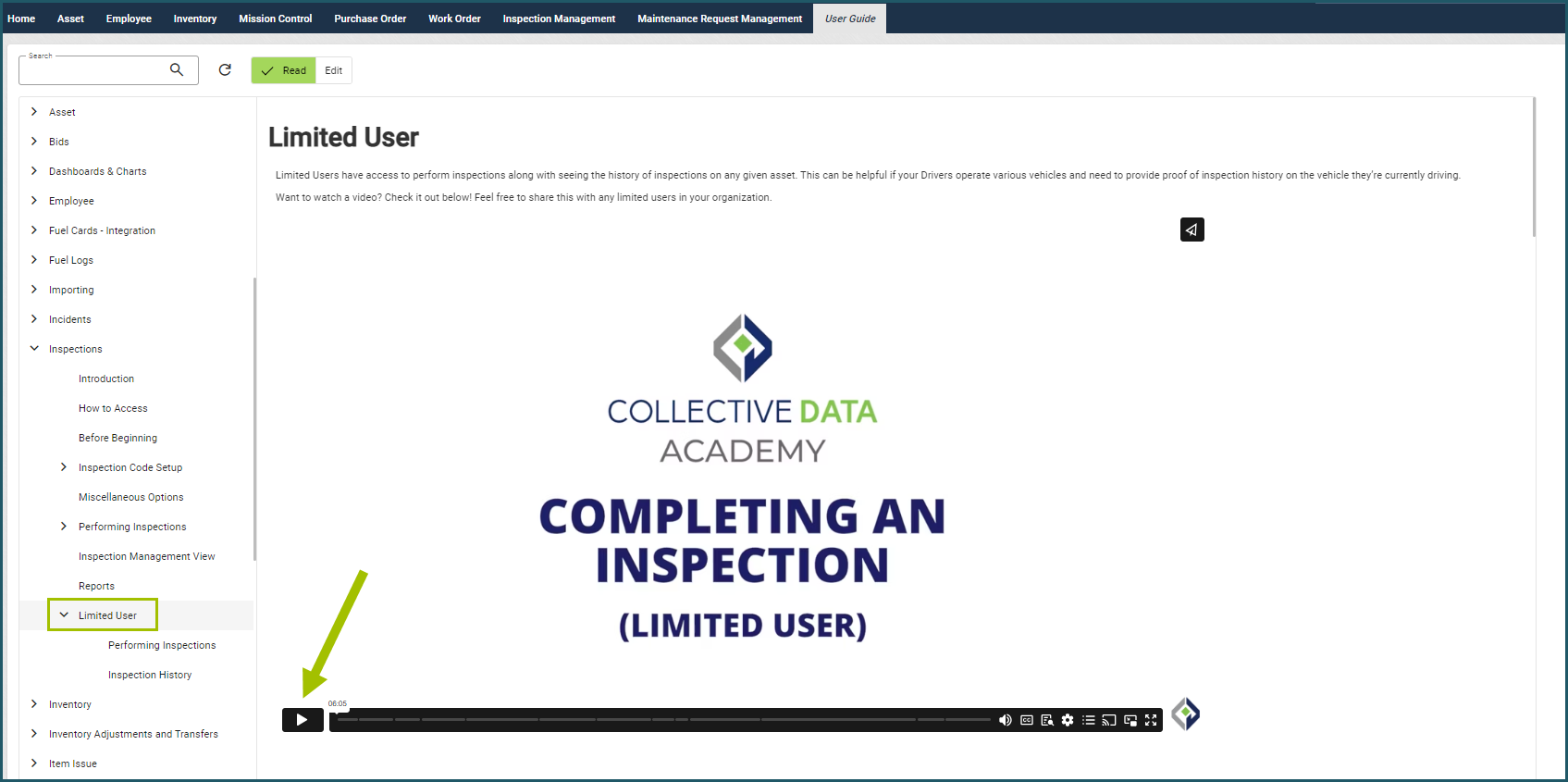
We are beginning to add training videos in the application User Guide. Some are for limited users; you can share the link to the videos to those users in your organization.

New videos are available on the following topics:

  • General Navigation
  • Organization Hierarchy
  • Item Requests (limited users)
  • Performing Inspections (limited users)

Embedded Videos in User Guide

Technician Work Forms

We’ve improved accessibility to a new version of our Technician Work Form. Now, when selecting Print Work Form on the Work Order view, this will bring you to the newer version that has QR codes that can be scanned to pull up the Asset Summary or the Work Order. This report makes it easier to get to the information needed, reducing typing, and searching in the application.

Technician Work Forms

Fleet: VIN Decoding Improvements

We’ve enhanced the VIN Decoding functionality in our application, specifically for Fleet clients. Previously, our integration with the NHTSA automatically pulled in asset information when a VIN was entered, as long as the integration was active. Based on client feedback, we’ve added more flexibility in how this data is imported.

You can now manage these options in Organization Settings > Other Settings:

  • Choose not to import any VIN data.
  • Only import data if the corresponding fields are blank.
  • Allow the integration to overwrite existing information.

We hope this update improves your experience with this feature. For more details, please refer to the User Guide under Asset > VIN Decoding.

VIN Decoding Improvements

Fleet: Maintenance Request Management View Updates

The Maintenance Request Management View received a facelift! Now, you can easily see all your requests in one list and act on them quickly. You can also review closed Maintenance Requests and send emails to the requesters with a status update.

Maintenance Request Management View Updates

April 2026

Our April Release is here!

General Updates Inspections: Required ImagesImages can now be required separately from notes on inspections. Any current inspections in your application will not have any user experience changes, but you can manually update them if desired. Please see the Inspection topic in the User Guide for more information. Warehouse Inactivation + Available Quantity We’ve updated the workflow to prevent a warehouse from being inactivated while it still contains active inventory. All active inventory must be transferred to another active warehouse before the warehouse can be inactivated.Purchase Order Calculation UpdateWe identified and resolved an issue where, in certain cases,…

March 2026

Our March Release is here!

General Updates Work Order Documents We added linkage between the Work Order Documents and Asset Documents. Now, when a Work Order has documents added to it, you can now see those documents in that Asset’s documents tab, and it will be labeled which Work Order they are from.  Inspection Management  We added a date filtering option to the Inspection Management view – now you can filter your inspections to the last 30 or 60 days, or show all. Quick Search field  We changed the Search field at the top of the view to be renamed the Quick Filter field, which is more accurate for the type…

February 2026

Our February Release is here!

General Updates Collapsible Side Navigation for a Larger WorkspaceYou can now collapse the side navigation to create more space in your application workspace! Click the arrows at the top of the navigation panel to collapse it into an icon-only view. Hover over the icons to quickly access the views you need. Click the arrows again to expand the full navigation menu.Work Order – Documents & PicturesThe Documents and Pictures sections on the Work Order view have been moved to tabs at the top of the screen instead of as buttons in the middle. This makes it easier to see when…

December 2025 Updates

Our December Release is here! 

For any questions or to schedule an update, please reach out to your Client Success Coordinator by clicking here. 

General Updates Auto-Incrementing Inventory Numbers You can now set Inventory to use auto-incrementing numeric inventory numbers for easier and more consistent tracking if you do not have specific numbers you want to use. This works the same as the auto-incrementing asset numbers feature. For information on how to use this feature, check the User Guide under the Inventory topic. Admin – Idle and Absolute Timeouts We added controls on the Admin page to manage idle and absolute session timeouts. These settings are available separately for regular users and kiosk users. Idle timeout: If you are idle (hands…